Geo-Tagged Complaint Reporting System
A location-aware reporting system that extracts GPS data from images and maps real-world issues for tracking and resolution.
Product Surfaces
Screens from the reporting workflow covering public submission, GPS capture, map visualization, admin review, and coordinate parsing logic.
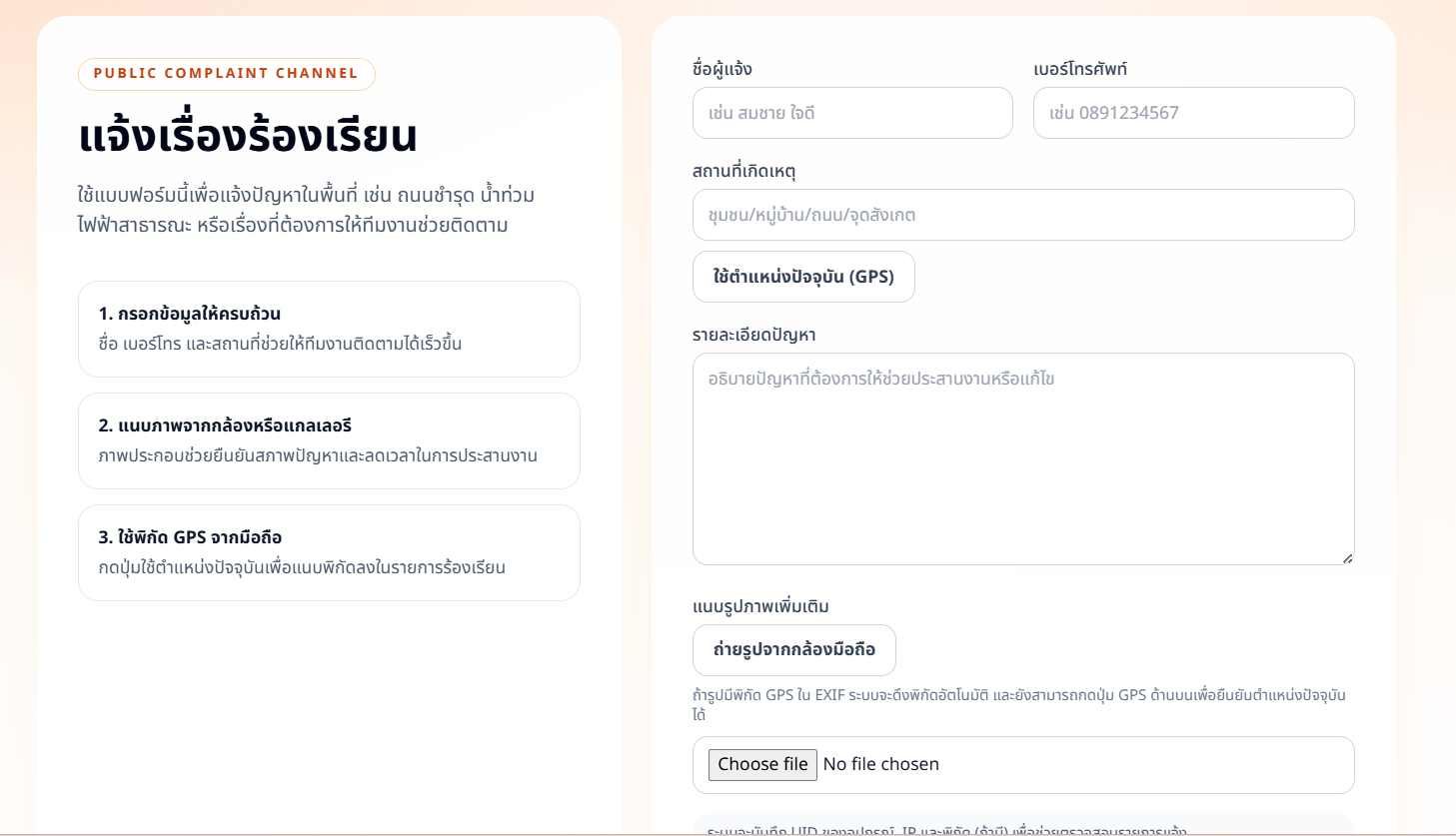
Public Complaint Form
Users submit reports with name, phone, location description, issue details, and mobile image upload.
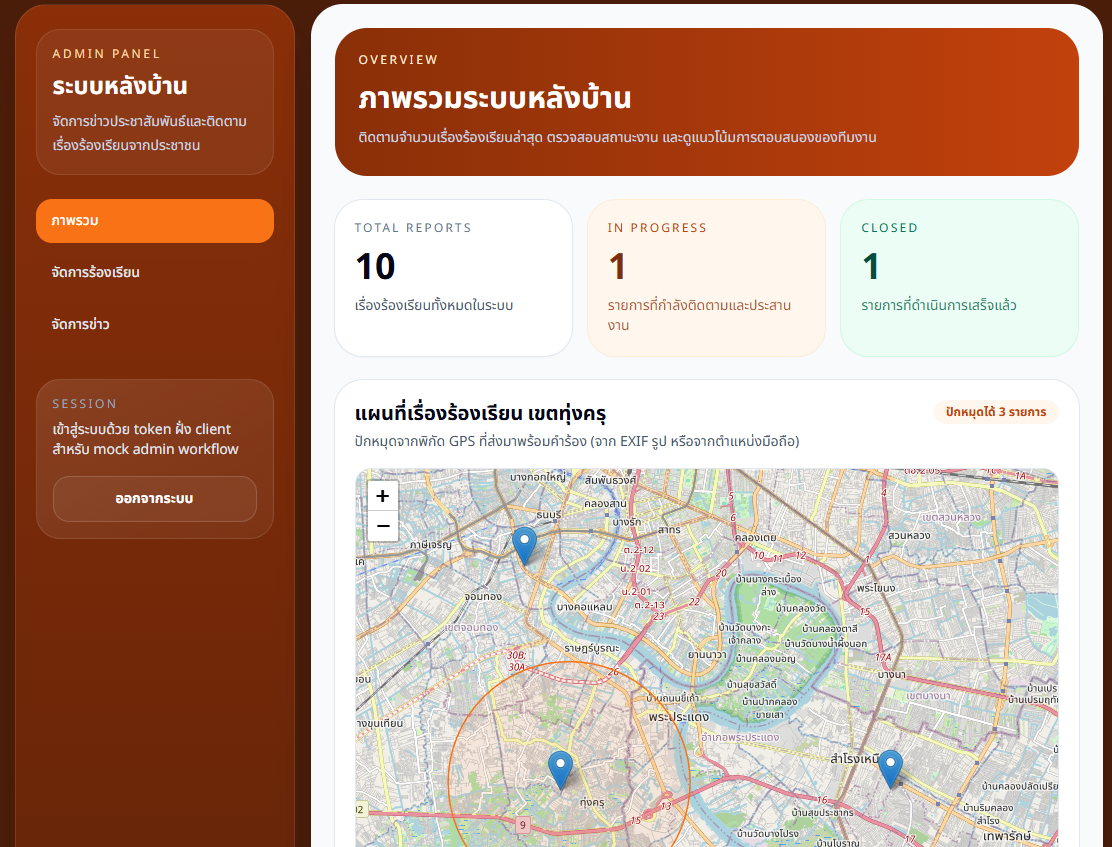
Admin Dashboard & Map Visualization
Administrative overview shows total reports, in-progress cases, closed cases, and Leaflet map pins for submitted issues.
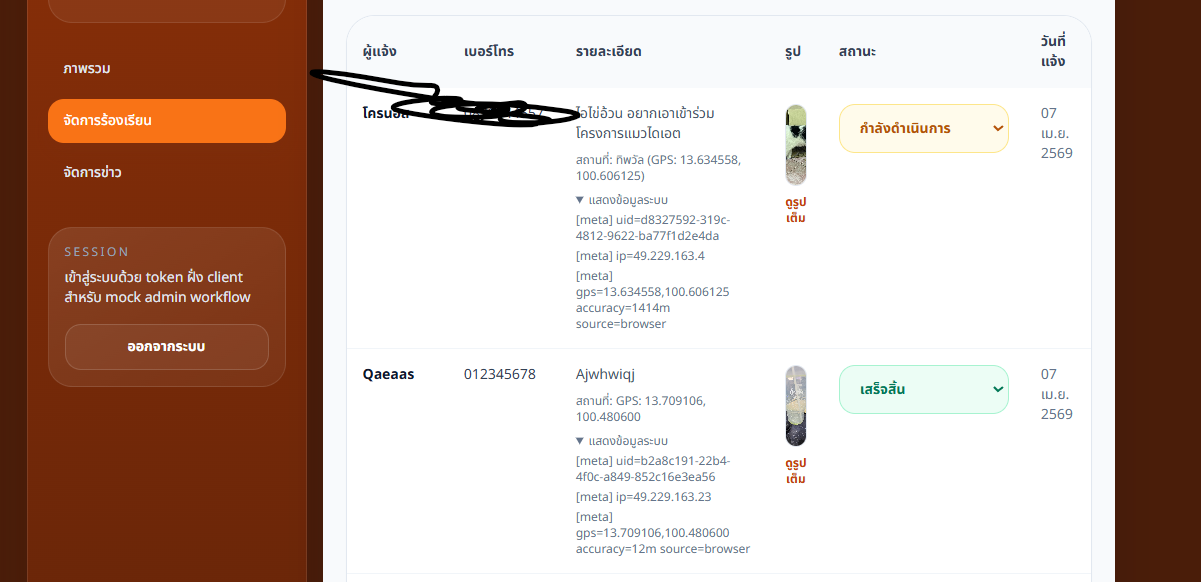
Report Table & Workflow Management
Submitted reports appear in a table with reporter info, GPS coordinates, metadata, image preview, date, and status controls.
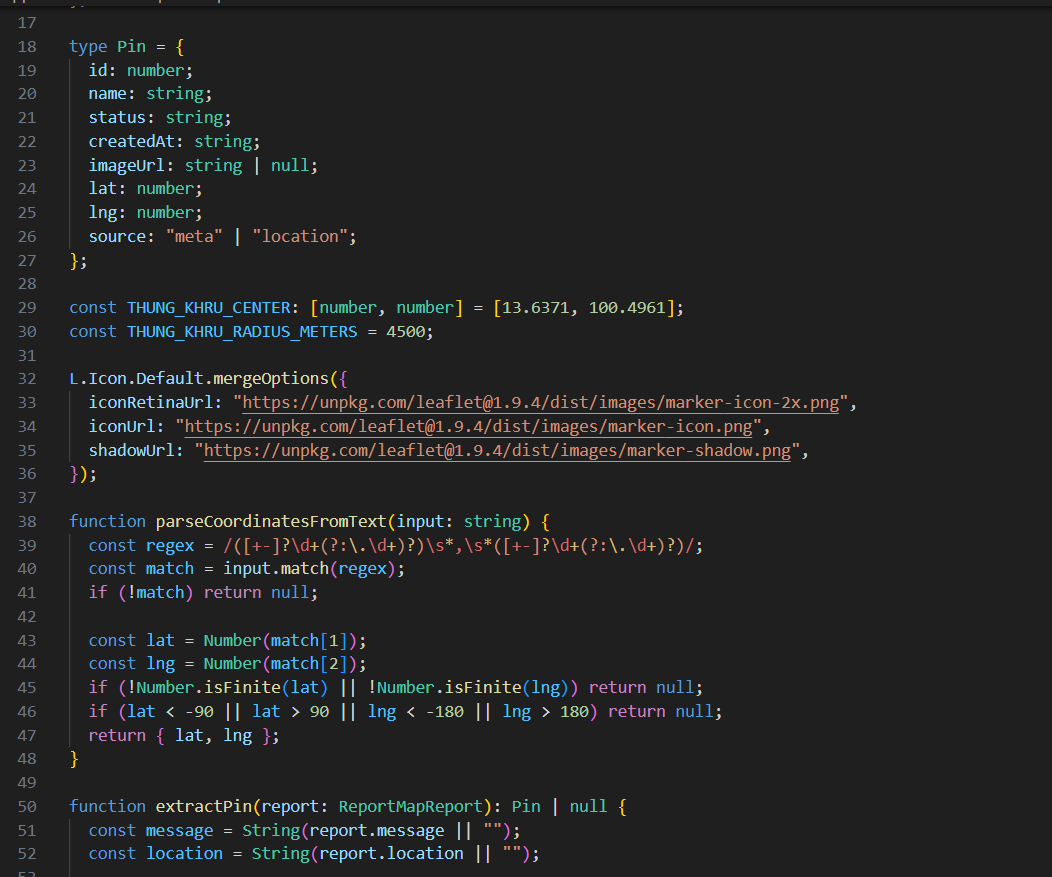
GPS Extraction Logic
Map pin data includes id, reporter name, status, created date, image URL, latitude, longitude, and location source.
Overview
Geo-Tagged Complaint Reporting System is designed for location-based issue tracking. It combines frontend report submission, image and location metadata handling, and administrative processing into one workflow.
The system uses map visualization to give administrators operational awareness of where reports are located, while table and status controls support follow-up from submission through completion.
Problem
Reporting real-world issues without accurate location data can delay response because teams must manually clarify where the problem happened.
Images provide useful visual context, but they are not enough without coordinates, reporter details, and a centralized place to track case status.
Solution
The workflow extracts GPS from image metadata when available, uses browser geolocation as a fallback, and parses coordinate pairs from report text when needed.
Structured report data is visualized on a Leaflet map and exposed in an admin dashboard where staff can review metadata, preview images, and update workflow status.
Delivery Scope
Public Form
Complaint submission flow with contact fields, issue details, and image upload.
GPS Extraction
Location handling from image metadata, browser location, and text-based fallback parsing.
Leaflet Map
Map-based visualization of report pins using validated latitude and longitude.
Admin Tracking
Report table and status controls for monitoring case lifecycle.
GPS Handling Logic
Behavior visible in the UI and coordinate parsing source screenshot
id, name, status, createdAt, imageUrl, lat, lng, and source are used for map pin rendering.
The source field differentiates GPS from image metadata and browser location using "meta" or "location".
Text coordinates are parsed with a regex that reads latitude and longitude pairs from report content.
Parsed values are converted to numbers and checked against latitude and longitude bounds before use.
Pin Data Model
Map pin fields visible in the provided source screenshot
Numeric report identifier used for map and table rows.
Reporter name displayed in the admin table and pin data.
Workflow status such as in-progress or completed.
Submission timestamp for administrative review.
Optional uploaded image preview for the report.
Validated coordinates used by the map layer.
Coordinate source, either image metadata or browser location.
Workflow Modules
- Public reporting form built with Next.js
- Image upload and GPS metadata handling
- Browser geolocation fallback for missing EXIF coordinates
- Coordinate parsing and latitude/longitude validation
- Leaflet map integration for report pins
- Admin dashboard with report table and status management
Admin Coverage
Report Counts
Overview cards for total reports, active work, and closed cases.
Map Pins
Multiple report locations displayed on a Leaflet map.
Status Updates
Dropdown controls update each report lifecycle state.
Metadata Review
Admin table exposes IP, user agent, source, image, and GPS details.
Results
- Improved accuracy of location-based reporting
- Reduced ambiguity in identifying issue areas
- Enabled map-based tracking of real-world problems
- Provided structured workflow for managing reports
Tech Stack
Based on the portfolio workspace and provided UI/source screenshots; no separate GPS reporting source directory or package manifest was present in this workspace.
Need location-aware reporting?
Let's discuss how GPS metadata, browser location, map visualization, and admin workflows can support real-world issue tracking.